


Your website loads slowly, and visitors click the back button within seconds. Google notices this behavior and pushes your pages further down search results. Poor page performance costs businesses thousands of potential customers monthly, even when content quality remains high.
Core Web Vitals have become critical ranking factors that determine whether your site appears on page one or gets buried in obscurity. These user experience metrics measure real world performance data from actual visitors browsing your pages. Google began using them as official ranking signals in 2021, and their importance continues growing each year.
Understanding and optimising these metrics separates winning websites from struggling competitors. This guide explains exactly what Core Web Vitals measure, why they matter for SEO success, and how to fix common issues. You will learn proven strategies that deliver measurable improvements within weeks, backed by tools and resources used by professional SEO teams.
Modern search algorithms reward sites that provide exceptional user experiences. Your technical performance directly influences conversion rates, bounce rates, and long term organic visibility. Mastering these fundamentals positions your business for sustainable growth.
What Are Core Web Vitals?
Core Web Vitals represent three specific page speed and user experience metrics that Google uses to evaluate website quality. These measurements focus on loading performance, interactivity, and visual stability during the browsing experience. When people ask What is SEO, Core Web Vitals play a major role because they capture how real users perceive your website speed and usability.
The three Core Web Vitals are Largest Contentful Paint, First Input Delay, and Cumulative Layout Shift. Each metric addresses a specific aspect of user frustration when browsing websites. Google developed these standardised measurements to give webmasters clear, actionable targets for optimisation efforts rather than vague performance guidelines.
These metrics appear in Google Search Console and Chrome User Experience Report data for your domain. Google collects real user measurements from Chrome browsers visiting your pages over 28 day periods. Your scores reflect actual field data from people using different devices and network conditions, not simulated lab tests alone.
Why Core Web Vitals Matter for SEO Rankings
Google confirmed that Core Web Vitals directly impact search rankings as part of their page experience signals update. Websites with poor scores risk losing visibility to competitors offering better user experiences, even with similar content quality. Strong performance directly contributes to key SEO Benefits as search algorithms increasingly prioritise sites that load quickly and respond smoothly to user interactions.
Better Core Web Vitals scores correlate strongly with improved business metrics beyond just rankings. Sites that load faster see higher conversion rates, longer session durations, and lower bounce rates across industries. Studies show that even 100 millisecond improvements in load time can boost conversion rates by measurable percentages through site speed optimisation.
Mobile search results particularly emphasise page experience factors since smartphone users expect instant responses. Google applies mobile first indexing, meaning your mobile page performance determines rankings for desktop searches too. Brands that ignore mobile optimisation leave money on the table and surrender market share to faster competitors.
Understanding Largest Contentful Paint (LCP)
Largest Contentful Paint measures how long your main content takes to become visible after a visitor clicks your link. This metric specifically tracks when the largest image, video, or text block renders within the viewport. Good LCP scores fall under 2.5 seconds, while anything over 4 seconds indicates poor performance.
Common elements counted as LCP include hero images, background images with text overlays, video thumbnail posters, and large text blocks. Google identifies whichever element occupies the most screen space and measures its render time. This approach reflects user perception better than measuring when the entire page finishes loading.
Slow LCP frustrates visitors who see blank screens or loading spinners instead of useful content. Users often abandon pages that fail to display meaningful information within the first few seconds. Optimising LCP requires addressing server response times, render blocking resources, and image optimisation simultaneously.
Measuring First Input Delay (FID)
First Input Delay quantifies how quickly your page responds when users first try to interact with it. This metric measures the delay between clicking a button, tapping a link, or entering text and when the browser actually processes that action. Good FID scores remain under 100 milliseconds, while scores above 300 milliseconds need immediate attention.
FID specifically captures real user interactions rather than simulated testing scenarios. The metric only measures the first interaction on a page, reflecting that crucial moment when visitors decide whether your site feels responsive or sluggish. JavaScript execution delays typically cause poor FID scores by blocking the main browser thread.
Users perceive unresponsive pages as broken or low quality, even when everything eventually works correctly. Long input delays create frustrating experiences where buttons do not respond, forms do not submit, and menus fail to open. Reducing JavaScript execution time and breaking up long tasks improves FID performance across devices.
Analysing Cumulative Layout Shift (CLS)
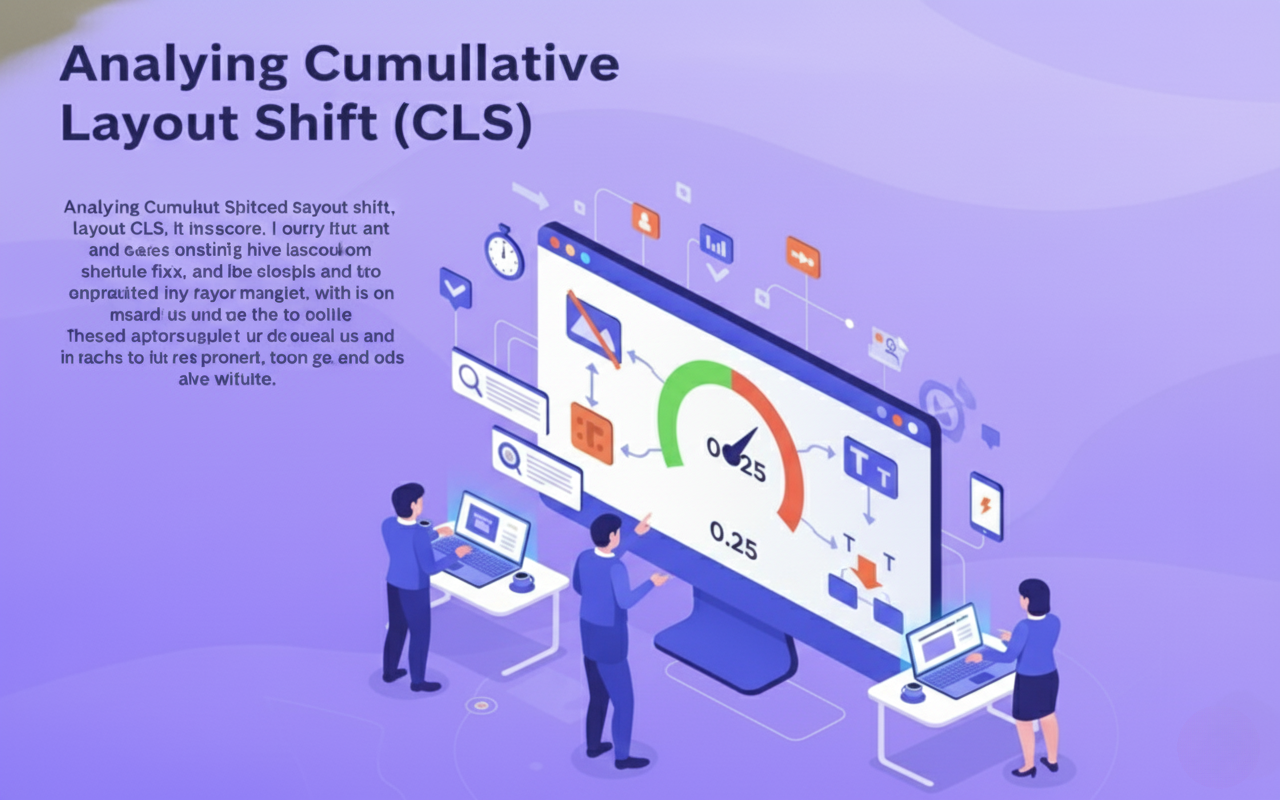
Cumulative Layout Shift measures unexpected movement of page elements while the page loads. This metric captures how much visible content shifts position, causing users to accidentally click wrong buttons or lose their reading place. Good CLS scores stay below 0.1, while scores above 0.25 indicate serious stability problems.
Layout shifts happen when images load without defined dimensions, fonts change sise, or ads inject into existing content. Each unexpected movement frustrates users and damages perceived quality. Google calculates CLS by multiplying the impact fraction by the distance fraction for each shift event.
Common causes include images lacking width and height attributes, web fonts swapping after text renders, and dynamically injected content pushing existing elements down. These issues particularly frustrate mobile users trying to tap specific buttons or links. Proper CSS dimension declarations and font loading strategies prevent most CLS issues.
Best Practices for Optimising Core Web Vitals
Start by measuring your current performance using Google PageSpeed Insights and Search Console’s Core Web Vitals report. These tools identify which pages need attention and highlight specific problems causing poor scores. Focus optimisation efforts on your most important landing pages and high traffic URLs first.
Implement lasy loading for images and videos below the fold to reduce initial page weight and improve LCP. Use modern image formats like WebP with proper compression settings to decrease file sises without sacrificing visual quality. Add explicit width and height attributes to all images and videos to prevent layout shifts.
Minimise JavaScript execution time by removing unused code, deferring non critical scripts, and splitting large bundles into smaller chunks. Preconnect to required third party domains and preload critical resources like fonts to reduce connection delays. Use a content delivery network to serve static assets from geographically distributed servers.
Common Core Web Vitals Mistakes to Avoid
Many websites load massive JavaScript frameworks for simple interactive features that could use vanilla JavaScript or CSS instead. This bloat delays First Input Delay unnecessarily and slows overall page responsiveness. Evaluate whether complex frameworks truly serve user needs or simply satisfy developer preferences.
Failing to specify image dimensions remains the most common cause of poor CLS scores across websites. Browsers cannot reserve proper space for images without explicit height and width attributes, causing content to jump when images finally load. Always include dimension attributes even when using responsive CSS sising.
Third party scripts like advertising tags, analytics trackers, and social media widgets often tank Core Web Vitals scores. These external resources load unpredictably and block critical rendering paths. Implement strict performance budgets for third party code and regularly audit which scripts actually drive business value.
Tools and Resources for Core Web Vitals
Google PageSpeed Insights provides detailed Core Web Vitals analysis with specific recommendations for improvements. This free tool shows both lab data from simulated tests and field data from real Chrome users visiting your pages. Run regular audits to track progress over time using essential SEO Tools.
Chrome DevTools offers powerful performance profiling capabilities to diagnose exactly what causes slow load times and input delays. The Performance tab records detailed timelines showing JavaScript execution, rendering work, and network activity. Use this data to identify optimisation opportunities missed by automated tools.
Web Vitals Chrome extension displays real time Core Web Vitals metrics while browsing any website. This lightweight tool helps developers test changes immediately without waiting for field data to accumulate. Lighthouse CI integrates automated performance testing into development workflows for continuous monitoring.
Search Console’s Core Web Vitals report groups pages by performance status and highlights common issues across your site. Monitor this report monthly to catch regressions before they impact rankings. The report separates mobile and desktop data since performance characteristics differ significantly between device types.
Advanced Core Web Vitals Optimisation Strategies
Implement critical CSS inlining to render above the fold content immediately while deferring full stylesheets. This technique dramatically improves LCP by eliminating render blocking CSS for initial paint. Generate critical CSS automatically using tools that analyse your page structure and extract necessary styles.
Use resource hints like dns prefetch, preconnect, and prefetch to warm up connections and cache resources before users need them. These browser directives reduce latency for third party requests and subsequent page navigations. Strategic preloading can shave hundreds of milliseconds off critical resource load times.
Consider implementing service workers to cache assets and serve repeat visitors instantly. Progressive enhancement strategies ensure core content displays immediately while JavaScript enhancements load progressively. This approach prioritises user experience over feature completeness during initial page loads.
Server side rendering or static site generation eliminates client side rendering delays that harm LCP and FID. These architectural patterns deliver fully formed HTML immediately rather than blank pages that JavaScript must populate. Modern frameworks offer hybrid approaches balancing performance with dynamic capabilities.
Monitoring and Maintaining Core Web Vitals Performance
Set up automated monitoring using tools like Lighthouse CI or commercial performance monitoring services. Regular testing catches regressions immediately after deployments rather than discovering problems weeks later through Search Console. Establish performance budgets that prevent team members from merging code that degrades user experience.
Create alerts for sudden drops in Core Web Vitals scores affecting significant traffic portions. Performance can degrade gradually through accumulated small changes or suddenly through single problematic updates. Early detection enables quick fixes before rankings suffer measurable impacts.
Schedule quarterly comprehensive audits examining third party dependencies, image optimisation opportunities, and code efficiency. Websites naturally accumulate performance debt over time as features get added without equivalent cleanup. Regular maintenance prevents gradual degradation and keeps scores in good ranges.
Core Web Vitals and Mobile First Indexing
Google predominantly uses mobile page versions for indexing and ranking all websites regardless of device type. Your mobile Core Web Vitals scores therefore impact desktop rankings equally. Many sites perform acceptably on desktop but fail mobile users with slow networks and limited processing power.
Mobile optimisation requires different strategies than desktop performance tuning. Smaller images, simplified layouts, and reduced JavaScript execution become critical on smartphones. Test extensively on real mobile devices using throttled network connections to understand actual user experiences with mobile seo in mind.
Responsive design alone does not guarantee good mobile performance if desktop assets simply scale down. Implement adaptive image serving that delivers appropriately sised files based on viewport dimensions and screen density. Consider mobile specific optimisations like simplified navigation and streamlined checkout flows.

Future Trends and Updates to Core Web Vitals
Google announced that Interaction to Next Paint (INP) will replace First Input Delay as a Core Web Vital in 2024. This new metric measures overall page responsiveness throughout the entire visit rather than just the first interaction. Sites will need to optimise for consistent interactivity, not just quick initial responses.
Final Thoughts
Most websites treat Core Web Vitals like a one time checklist: fix a few issues, hope rankings improve, and wonder why traffic stagnates. At Drip Ranks we knew there had to be a better way. So we built a system, not a quick fix.
Forensic audits pinpoint the biggest performance bottlenecks affecting your users. Optimised load times, instant responsiveness, and visual stability turn these insights into measurable gains. Continuous monitoring and iterative improvements compound small wins into significant competitive advantages. The difference? Your website becomes a performance engine that drives rankings, conversions, and revenue not just a site that “looks fast.”
Drip Ranks specialises in Core Web Vitals optimisation that makes results predictable, repeatable, and ROI focused. Contact us today for a free performance assessment and see exactly how much slow site metrics are costing your business.