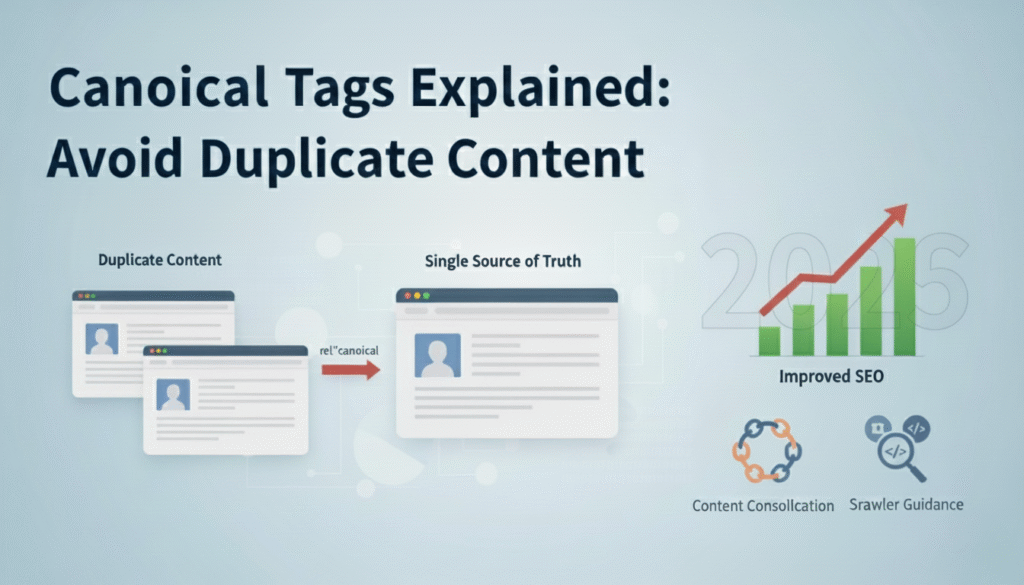

Duplicate content continues to plague websites across the internet, causing ranking confusion and diluted link equity. Google processes billions of pages daily, and without clear signals about which version of your content deserves ranking priority, search engines make their own decisions. These automated choices don’t always align with your business goals or strategic priorities.
Recent algorithm updates have made Google even more sensitive to duplicate content issues, particularly for e commerce sites and content heavy platforms. When multiple URLs contain identical or substantially similar content, search engines waste crawl budget evaluating each version instead of discovering new valuable pages. This inefficiency directly impacts your organic visibility and growth potential.
Canonical tags provide the technical solution that tells search engines exactly which URL represents the master version of your content. Understanding how to implement these tags correctly separates websites that maintain strong rankings from those that suffer from self inflicted SEO problems. This guide explains everything you need to know about canonical tags, from basic implementation to advanced strategies that preserve your ranking power.
What Are Canonical Tags?
A canonical tag is an HTML element placed in the head section of a webpage that specifies the preferred URL when duplicate or similar content exists across multiple pages. The tag uses the rel=”canonical” attribute to point search engines toward the authoritative version that should receive ranking credit. This simple code snippet prevents search engines from treating similar pages as competing content.
The canonical tag looks like this in your HTML: “. When Google’s crawler encounters this tag, it understands that all ranking signals such as backlinks, content quality scores, and user engagement metrics should consolidate toward the specified canonical URL. The other versions still exist and function normally for users but don’t compete in search results, which is crucial for mobile seo.
Think of canonical tags as your direct communication channel with search engines about content priorities. Without this guidance, algorithms must guess which version matters most based on factors like internal linking patterns, external backlinks, and discovery order. These automated decisions frequently conflict with your strategic goals, sending traffic to outdated pages or parameter heavy URLs instead of clean, conversion optimised versions.
Why Canonical Tags Matter for SEO
Canonical tags directly protect your website from duplicate content penalties that fragment ranking power across multiple URLs. When search engines find identical content on different pages, they must choose one version to display in results while potentially suppressing others. Without canonical tags, valuable backlinks pointing to various URL versions don’t combine their authority, leaving each page weaker than it should be.
E commerce websites face particularly severe duplicate content challenges with product pages accessible through multiple category paths, filter combinations, and sorting parameters. A single product might appear at ten different URLs depending on how users navigate your site. Each uncanonicalised version dilutes the ranking potential that should concentrate on your primary product page URL.
Content syndication and republishing create another critical use case for canonical tags. When you publish guest posts, distribute press releases, or share content across multiple domains, canonical tags ensure the original version receives SEO credit. This protection allows you to expand your content’s reach without sacrificing the rankings you’ve built on your primary domain.
How Canonical Tags Work
Search engine crawlers encounter your canonical tag during the page scanning process and record the specified preferred URL in their index. This signal influences which version appears in search results and where consolidated ranking metrics accumulate. The process happens automatically once you’ve properly implemented the tag in your page’s HTML head section.
Google treats canonical tags as strong hints rather than absolute directives, meaning the search engine reserves the right to ignore your canonicalisation in rare cases. This typically happens when conflicting signals suggest a different URL deserves preference, such as overwhelming backlink patterns pointing to a non canonical version. The search engine weighs your canonical tag alongside other factors to make final indexing decisions.
The canonical tag functions similarly across all major search engines including Bing, Yandex, and other platforms. This universal support makes proper implementation valuable beyond just Google optimisation. Once you establish clear canonical signals, all search engines benefit from reduced confusion about which URLs deserve ranking consideration for specific content.
Common Duplicate Content Scenarios Requiring Canonical Tags
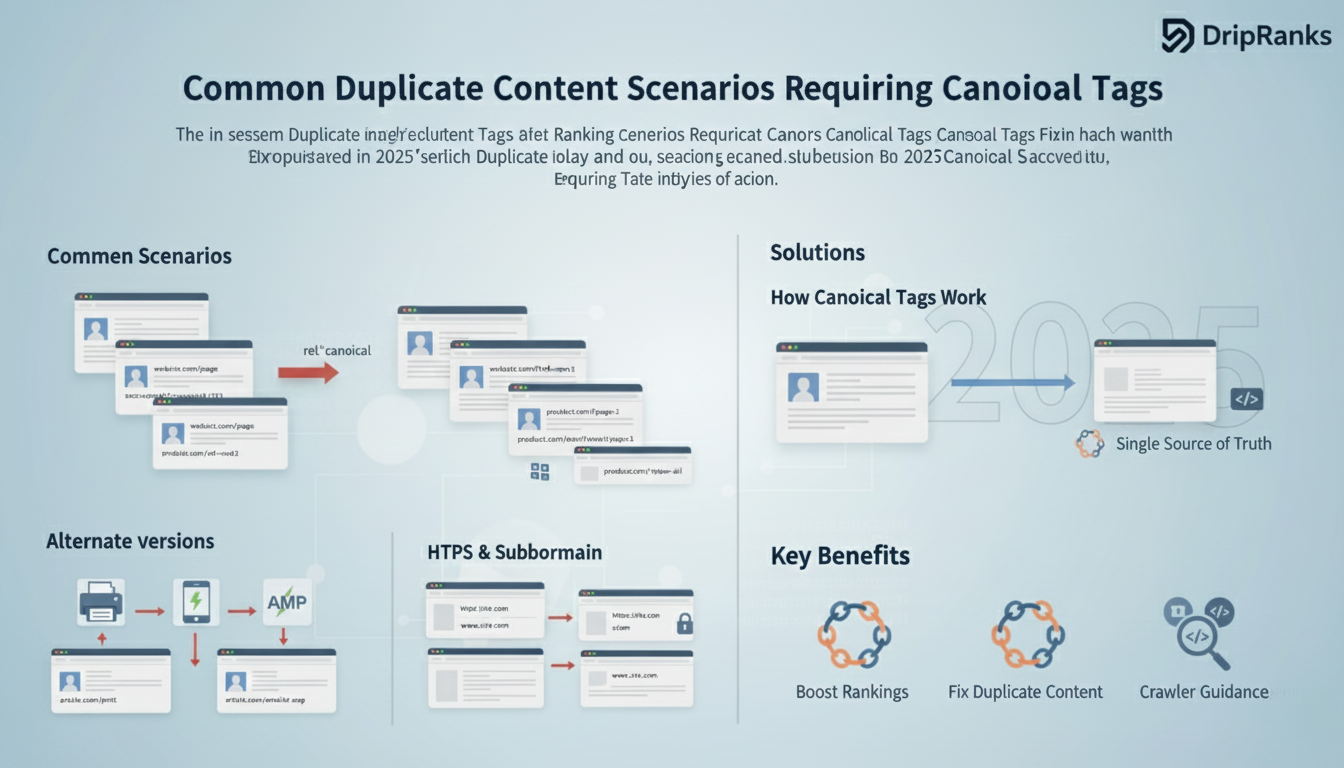
URL parameters from tracking codes, session IDs, and sorting options create the most frequent duplicate content problems on modern websites. Your homepage might exist as domain.com, domain.com/?utm_source=email, and domain.com/?sessionid=12345, with each version appearing identical to users but registering as separate pages to search engines. Canonical tags consolidate these variations to your clean base URL.
Pagination series generate another widespread canonicalisation challenge where multi page articles or product listings split content across numbered URLs. Deciding whether to self canonicalise each page or point them all to a “view all” version depends on your content strategy and user experience priorities. Both approaches work when implemented consistently with proper supporting signals.
HTTPS migrations and domain changes often leave duplicate versions accessible across old and new locations. Your site might respond at both http://example.com and https://example.com, or www.example.com and the non www version. Canonical tags help search engines understand which protocol and subdomain combination represents your preferred standard.
Print friendly versions, mobile alternate URLs, and AMP pages all create legitimate duplicate content that serves user needs while requiring canonical management. These specialised versions deliver better experiences for specific contexts but shouldn’t compete with your primary URLs in search results. Proper canonical implementation maintains ranking consolidation while preserving functional diversity.
Best Practices for Implementing Canonical Tags
Always use absolute URLs in your canonical tags rather than relative paths to eliminate any ambiguity about the target destination. The format should be “ with the complete protocol, domain, and path structure. This precision prevents misinterpretation errors that could send incorrect signals to search engines.
Each page should include exactly one canonical tag pointing to a single preferred URL. Multiple canonical tags on the same page create conflicting signals that search engines may ignore entirely. Audit your implementation carefully to ensure templates, plugins, and manual additions don’t create duplicate canonical declarations.
Self referencing canonical tags belong on pages that don’t have duplicate versions, pointing the page to itself. This proactive approach prevents future issues if duplicate versions emerge and clearly communicates your canonical preference to search engines. Modern CMS platforms and SEO plugins often add these automatically to every page.
Canonical tags must point to indexable URLs that return 200 status codes and remain accessible to search engine crawlers. Canonicalising to redirected URLs, noindexed pages, or broken links creates confusion that undermines your SEO strategy. Verify that your canonical targets meet technical requirements before implementation.
The canonical URL should match your preferred version exactly, including trailing slashes, capitalisation, and parameter formatting. Inconsistent canonicalisation weakens the signal strength and may cause search engines to disregard your preference. Establish URL standards across your site and maintain them rigorously in canonical declarations.
Technical Implementation Methods
Direct HTML editing provides the most precise canonical tag control by manually adding the link element to your page templates. This method works best for small sites or specific pages requiring custom canonicalisation. Place the tag within the “ section of your HTML document before the closing “ tag for proper recognition.
Content management systems like WordPress offer canonical tag management through SEO plugins such as Yoast SEO and Rank Math. These tools automatically generate appropriate canonical tags based on your content structure and provide override options for special cases. The automated approach reduces implementation errors while maintaining flexibility for complex scenarios, supporting overall core web vitals performance.
HTTP headers allow canonical specification without modifying HTML, particularly useful for PDFs and other non HTML documents. The header format uses Link: <https://www.example.com/preferred url/>; rel="canonical" and requires server configuration access. This method enables canonicalisation for file types that don’t support traditional HTML tags.
JavaScript frameworks and single page applications require special canonical tag considerations since content often loads dynamically after initial page rendering. Search engines must see canonical tags in the initial HTML source, not added later through JavaScript execution. Server side rendering or dynamic rendering solutions ensure proper canonical tag visibility to crawlers.
Common Canonical Tag Mistakes to Avoid
Canonicalising to URLs that differ significantly in content creates a mismatch that search engines typically ignore. The canonical and actual page content should be substantially similar or identical. Pointing a product page to your homepage or an unrelated category page sends conflicting signals that undermine trust in your canonical declarations.
Chain canonicalisation occurs when Page A canonicalises to Page B, which then canonicalises to Page C. This indirect relationship weakens the signal and may cause search engines to ignore the chain entirely. Always point canonical tags directly to the final preferred URL without intermediary steps.
Forgetting to update canonical tags after URL changes or site migrations leaves outdated references that direct ranking signals to wrong locations. Audit canonical tags during major site updates to ensure they reflect current URL structures. Broken canonical targets waste crawl budget and prevent proper ranking consolidation.
Mixing canonical tags with noindex directives on the same page creates contradictory instructions that confuse search engines. If a page shouldn’t be indexed, use noindex alone without a canonical tag pointing elsewhere. The canonical tag implies the page should pass value to another URL, while noindex says no URL should be indexed.
Monitoring and Validating Canonical Tags
Google Search Console’s URL Inspection tool reveals how Google interprets your canonical tags by showing the user declared canonical versus the Google selected canonical. Discrepancies between these values indicate problems with your implementation that require investigation. Regular checks catch issues before they impact rankings.
Screaming Frog SEO Spider and similar crawling tools extract canonical tags from every page during site audits. These reports identify missing canonicals, broken canonical targets, and pages with multiple conflicting canonical declarations. The bulk analysis capabilities help maintain canonical hygiene across large websites.
Browser extensions like the Canonical Tag Checker add visual indicators showing canonical declarations while you browse your site. This real time validation helps catch template errors or pages missing expected canonical tags. The immediate feedback loop speeds troubleshooting during implementation and testing phases.
Log file analysis reveals whether search engines respect your canonical preferences by examining which URLs they actively crawl and index. If bots consistently ignore your canonical tags and crawl duplicate versions, deeper technical issues may exist. This data guides optimisation priorities for maximum crawl efficiency.
Advanced Canonical Tag Strategies
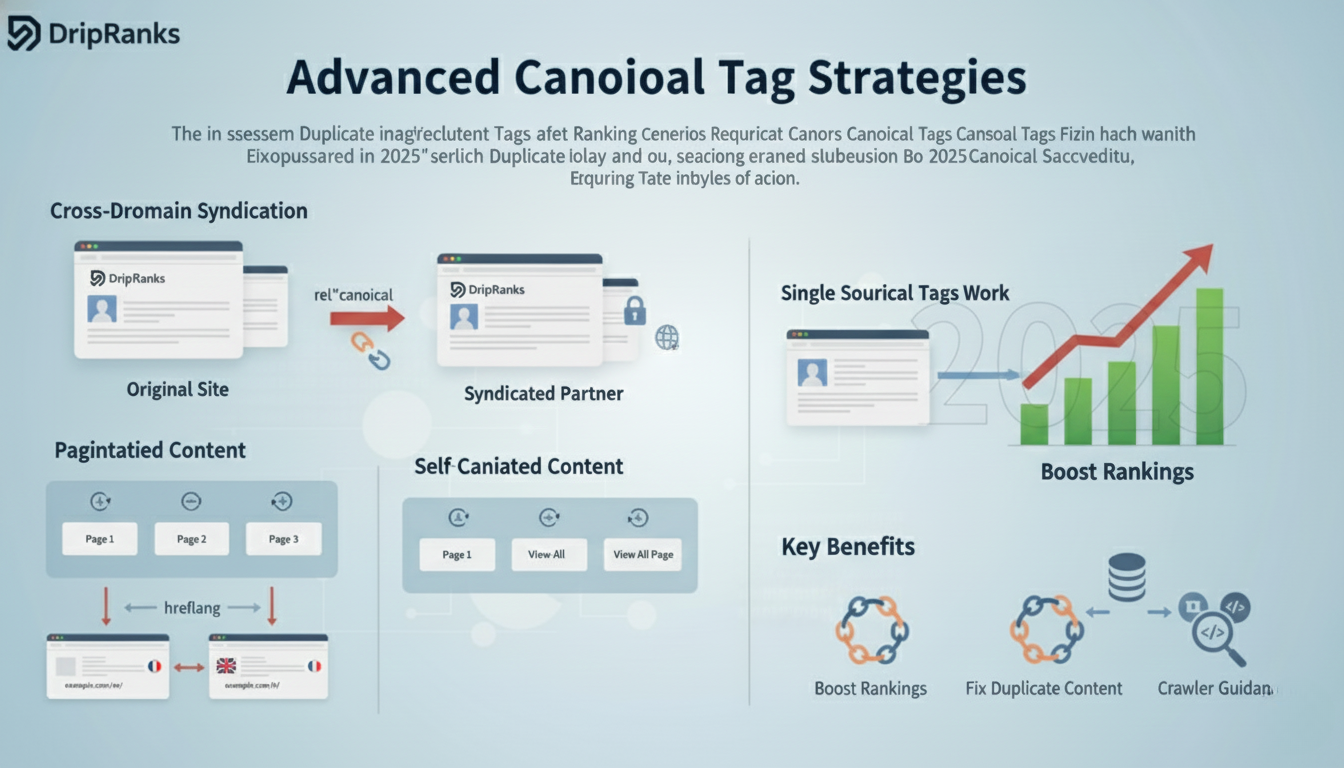
Cross domain canonical tags allow content syndication while protecting the original publisher’s SEO value. When other sites republish your content with a canonical tag pointing back to your domain, you receive the ranking benefit. This arrangement requires cooperation from publishing partners but prevents duplicate content competition across domains.
Canonicalisation strategy for paginated content balances user experience with SEO efficiency by choosing between self canonicalisation or view all canonicalisation. Self canonicalising each page number allows individual pages to rank for long tail queries, while view all canonicalisation consolidates authority to comprehensive single page versions. Test both approaches with your specific content to determine optimal results.
International websites with similar content across language or regional versions benefit from hreflang tags combined with self referencing canonical tags. Each language version canonicalises to itself while hreflang attributes establish the relationship between regional alternatives. This combination prevents duplicate content issues while maintaining separate pages for each audience.
Dynamic canonical tag generation through programming logic automatically adjusts to URL parameters, ensuring consistency across infinite potential URL combinations. E commerce platforms particularly benefit from this approach when filter combinations and sorting options create thousands of possible URLs for the same product set. The automated rules maintain canonical standards without manual page by page configuration.
Tools and Resources for Canonical Tag Management
Enterprise SEO platforms like Botify, Conductor, and Oncrawl provide canonical tag monitoring within comprehensive site auditing frameworks. These tools track canonical consistency across crawls, alert teams to new issues, and provide historical data showing canonical tag performance over time. The investment makes sense for large websites where manual monitoring becomes impractical.
Content management system plugins automate canonical tag generation based on your site’s structure and configured rules. Shopify’s built in canonical management, WordPress SEO plugins, and custom Magento extensions reduce implementation complexity. Evaluate plugin documentation carefully to understand default behavior and override capabilities.
Google’s official documentation on canonical tags provides authoritative guidance directly from the search engine interpreting your signals. The Search Central resources explain edge cases, answer common questions, and update when algorithm changes affect canonical tag handling. Bookmark these resources for reference during implementation planning.
Drip Ranks offers specialised SEO xml sitemap audits that identify canonical tag issues harming your search performance. Our team analyses your entire site structure to optimise canonical implementation alongside other critical ranking factors. Schedule a consultation to discover how proper canonical tag strategy fits into your comprehensive SEO roadmap.
Final Thoughts
Most websites treat canonical tags like a minor technical detail: add a few tags, hope Google notices, and wonder why rankings don’t improve. At Drip Ranks we knew there had to be a better way. So we built a system, not a service.
Forensic audits uncover duplicate content and URL issues that fragment your ranking potential. Strategic canonical implementation consolidates authority, protects your crawl budget, and ensures the URLs that matter most represent your brand in search results. Small fixes compound into measurable SEO gains.
The difference? Your canonical strategy becomes predictable, repeatable, and revenue focused not a technical gamble that relies on guesswork. Contact Drip Ranks today to audit your site and unlock the full ranking potential of your SEO.